Award Badges
Send badges to anyone on Nostr. Award one person or hundreds at once.
How to Award
Select a Badge
Choose from your templates or create a new badge.
Add Recipients
Enter the public keys of people to award.
Click Award
Approve the signing request. Badge is published.
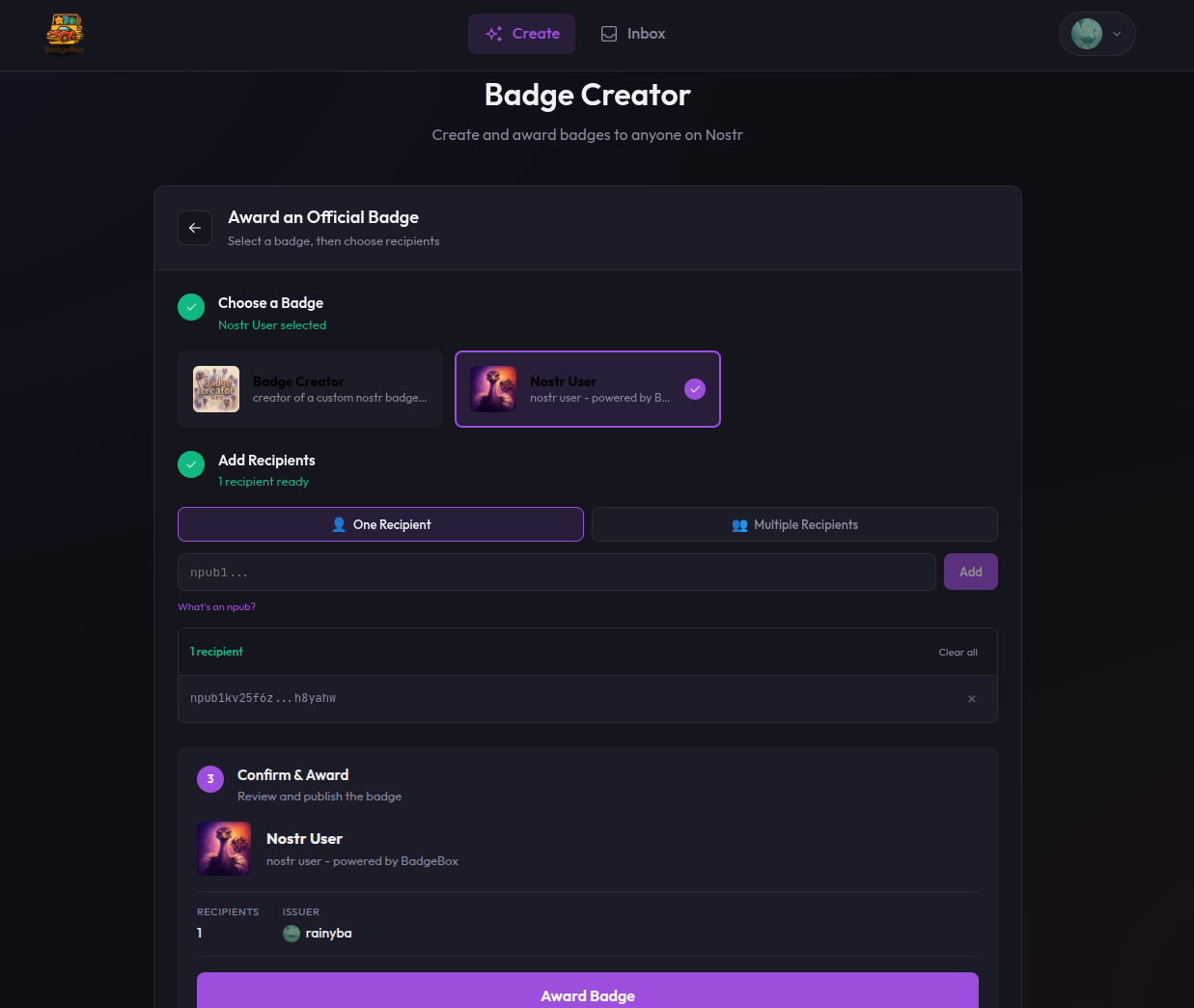
Awarding an official badge to recipients
Adding Recipients
Enter public keys in the recipients field. You can use:
- npub format:
npub1abc123... - Hex format:
abc123def456...(64 characters)
Multiple Recipients
Add several people at once:
- One key per line
- Separate with commas
- Paste a list
You can award to as many people as you want in a single action. All recipients receive the same badge.
What Recipients See
After you award a badge:
- An event is published to Nostr relays
- Recipients can query for badges awarded to them
- The badge appears in their Badge Box inbox
- They choose whether to accept and display it
Important Notes
Once published, badge awards cannot be deleted or revoked. The recipient can choose not to display it, but the award record remains on the network.
Double-Check Keys
Verify recipient public keys before awarding. A typo means the badge goes to the wrong person (or no one).
Awarding Again
You can award the same badge multiple times to different people. Each award is a separate event.